Introduction & The Problem
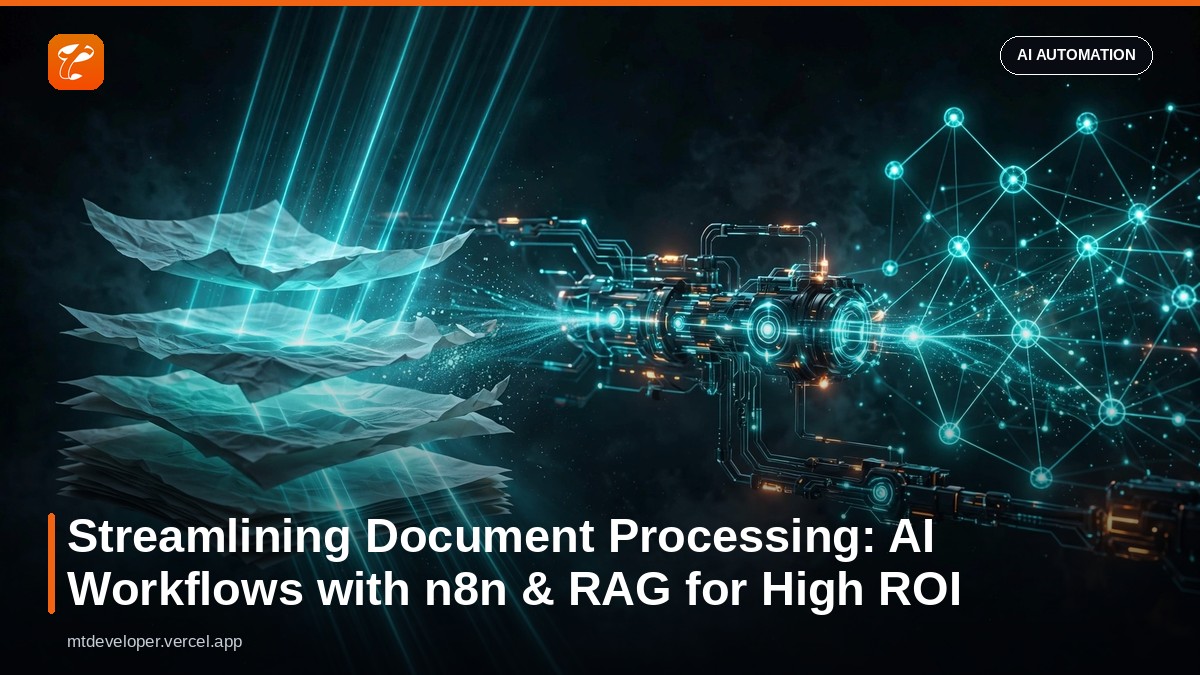
In today's fast-paced business environment, efficient information management is paramount. Yet, many organizations remain entangled in the quagmire of manual document processing. From invoices and contracts to support tickets and research papers, the sheer volume of unstructured text data can overwhelm human resources, leading to significant delays, increased operational costs, and a high probability of human error. This problem isn't just about speed; it's about accuracy, scalability, and ultimately, competitive advantage. Companies spend countless hours extracting, categorizing, and routing information embedded within documents, often hiring dedicated personnel for these repetitive, low-value tasks. The consequences are tangible: delayed decision-making, missed revenue opportunities, compliance risks, and a drain on skilled labor that could be focused on strategic initiatives. For CEOs, CTOs, and business owners, this translates directly to reduced ROI and stunted growth potential. Developers and agencies, on the other hand, face the challenge of architecting scalable solutions that can tackle this data deluge efficiently and cost-effectively.
The Solution Concept & Architecture
The solution lies in intelligent automation, specifically combining low-code workflow orchestration with advanced AI capabilities like Retrieval Augmented Generation (RAG). RAG allows an AI model to retrieve relevant information from a knowledge base (your documents) before generating a response, leading to more accurate, context-aware, and hallucination-resistant outputs. By integrating RAG into a workflow automation platform like n8n, we can create an autonomous system capable of ingesting, understanding, and acting upon information within various document types. This eliminates the need for manual intervention, drastically reducing processing times and improving data reliability. Our proposed architecture involves several key components:
- Document Ingestion: Files (PDFs, DOCX, images) are uploaded to a cloud storage (e.g., S3, Google Drive) or received via email/API.
- OCR/Text Extraction: For image-based documents, an Optical Character Recognition (OCR) service extracts text. For native digital documents, text is directly extracted.
- n8n Workflow: n8n acts as the orchestrator, triggering on new document uploads, managing extraction, vectorization, RAG query execution, and subsequent actions.
- Vector Database: A vector database (e.g., Pinecone, Qdrant, ChromaDB, Weaviate) stores the vectorized embeddings of document chunks, enabling efficient semantic search.
- Embedding Model: An embedding model (e.g., OpenAI's
text-embedding-ada-002,Cohere Embed v3.0) converts text chunks into high-dimensional vectors. - Large Language Model (LLM): An LLM (e.g., OpenAI's GPT-4, Claude 3, Llama 3 via Ollama) processes the retrieved context and generates structured output or answers questions.
- Output & Integration: The processed data is then routed to downstream systems like CRMs, ERPs, databases, or notification services (Slack, email).
The workflow would typically look like this:
- New document detected by n8n.
- Document content extracted (OCR if needed).
- Content chunked and embedded.
- Embeddings stored in vector database (initial setup/update).
- When a specific query/task arises (e.g., "Extract client name and invoice total"), n8n queries the vector database for relevant document chunks.
- The retrieved chunks and the original query are sent to the LLM (RAG).
- The LLM extracts the required information or answers the question.
- n8n then takes subsequent actions based on the LLM's output.
Step-by-Step Implementation
Let's walk through a simplified example: automating invoice data extraction using n8n, a document parsing service, a vector database (ChromaDB for simplicity, running locally or in-memory), and an OpenAI LLM. This example assumes you have n8n running (docker docker run -it --rm --name n8n -p 5678:5678 -v ~/.n8n:/home/node/.n8n n8n/n8n).
Prerequisites:
- n8n instance running.
- OpenAI API Key.
- Python environment for a simple vector store interaction script.
Part 1: Setting up ChromaDB and Document Ingestion
For production, you'd use a hosted vector database. For this example, we'll simulate document chunking and embedding outside n8n or use a custom HTTP request to a local Python script. Let's assume we have a document processing step that extracts text. For example, using a webhook to trigger the workflow and passing document content. First, a Python script to interact with ChromaDB and OpenAI Embeddings:
# install via pip install chromadb openai tiktoken pypdf
import chromadb
from openai import OpenAI
import os

# Initialize OpenAI client
client = OpenAI(api_key=os.environ.get("OPENAI_API_KEY"))

def get_embedding(text, model="text-embedding-ada-002"):
    text = text.replace("\n", " ")
    return client.embeddings.create(input=[text], model=model).data[0].embedding

def setup_chromadb(collection_name="document_data"):
    # Use a persistent client to save data to disk
    chroma_client = chromadb.PersistentClient(path="./chromadb_storage")
    collection = chroma_client.get_or_create_collection(name=collection_name)
    return collection

def add_document_to_db(collection, doc_id, text_content, metadata=None):
    embedding = get_embedding(text_content)
    collection.add(
        embeddings=[embedding],
        documents=[text_content],
        metadatas=[metadata if metadata else {}],
        ids=[doc_id]
    )
    print(f"Document {doc_id} added to ChromaDB.")

def query_chromadb(collection, query_text, n_results=3):
    query_embedding = get_embedding(query_text)
    results = collection.query(
        query_embeddings=[query_embedding],
        n_results=n_results,
        include=['documents', 'distances', 'metadatas']
    )
    return results

if __name__ == "__main__":
    # Example Usage:
    os.environ["OPENAI_API_KEY"] = "YOUR_OPENAI_API_KEY"
    doc_collection = setup_chromadb()

    # Example document content (simulate an invoice)
    invoice_text_1 = (
        "Invoice INV-2023-001\nDate: 2023-10-26\nClient: Acme Corp\n" +
        "Items: Widget A (2 @ $500), Service Fee (1 @ $200)\nTotal: $1200\n" +
        "Due Date: 2023-11-26\nVendor: Global Tech Solutions"
    )
    invoice_text_2 = (
        "Invoice INV-2023-002\nDate: 2023-10-27\nClient: Beta Systems\n" +
        "Items: Gadget X (5 @ $100), Consulting (1 @ $500)\nTotal: $1000\n" +
        "Due Date: 2023-11-27\nVendor: Global Tech Solutions"
    )

    add_document_to_db(doc_collection, "invoice_001", invoice_text_1, {"type": "invoice", "invoice_id": "INV-2023-001"})
    add_document_to_db(doc_collection, "invoice_002", invoice_text_2, {"type": "invoice", "invoice_id": "INV-2023-002"})

    print("\nQuerying for Acme Corp's invoice total:")
    query_results = query_chromadb(doc_collection, "What is the total amount for Acme Corp's invoice?")
    for doc, dist, meta in zip(query_results['documents'][0], query_results['distances'][0], query_results['metadatas'][0]):
        print(f"Document: {doc}\nDistance: {dist}\nMetadata: {meta}\n")

    print("\nQuerying for Beta Systems' due date:")
    query_results = query_chromadb(doc_collection, "When is the due date for Beta Systems' invoice?")
    for doc, dist, meta in zip(query_results['documents'][0], query_results['distances'][0], query_results['metadatas'][0]):
        print(f"Document: {doc}\nDistance: {dist}\nMetadata: {meta}\n")
Run this script once to populate your ChromaDB with some sample invoices. Make sure to replace "YOUR_OPENAI_API_KEY" with your actual key and set OPENAI_API_KEY as an environment variable.
Part 2: n8n Workflow Construction
Now, let's build the n8n workflow. The goal is to receive a query, use it to retrieve relevant document chunks from ChromaDB, and then use an LLM to answer.
- Webhook Trigger:
- Add a
Webhooknode. Set the 'Webhook URL' to 'Test URL' initially. - Configure 'HTTP Method' to
POST. - In the 'Test Webhook' section, copy the URL.
- Execute Command Node (for ChromaDB Query):
- Add an
Execute Commandnode. - Connect it to the
Webhooknode. - In the 'Command' field, you'll call your Python script. This is an example, in production, you'd have an API wrapper around ChromaDB.
python your_chroma_query_script.py --query "{{ $('Webhook').item.json.query }}"(This assumesyour_chroma_query_script.pyaccepts a query argument and returns JSON. For simplicity, we'll manually input retrieved content for this example).- For this demonstration, let's assume the
Webhookreceives{"query": "What is the total for invoice INV-2023-001?"}and we will manually provide the context retrieved in the next step.
- Set Node (Simulate RAG Context Retrieval):
- Add a
Setnode. - Connect it to the
Webhook(orExecute Commandif you made the Python script return data). - Add a property
ragContextwith the value (this is a simplified example, in reality, this would be dynamically fetched from ChromaDB based on the query):
{
      "ragContext": "Invoice INV-2023-001\nDate: 2023-10-26\nClient: Acme Corp\nItems: Widget A (2 @ $500), Service Fee (1 @ $200)\nTotal: $1200\nDue Date: 2023-11-26\nVendor: Global Tech Solutions"
    }
- OpenAI (or other LLM) Node:
- Add an
OpenAInode. - Connect it to the
Setnode. - Select 'Chat' for 'Operation'.
- Choose a 'Model' (e.g.,
gpt-4o). - In the 'Messages' section:
- Add a
systemmessage:You are a helpful assistant specialized in extracting information from invoices. Only use the provided context to answer questions. - Add a
usermessage: `Context: {{ $json.ragContext }}
Question: {{ $('Webhook').item.json.query }}`
- Set 'Temperature' to
0.2for more deterministic results.
- Respond to Webhook Node:
- Add a
Respond to Webhooknode. - Connect it to the
OpenAInode. - Set 'Response Body' to
{{ $('OpenAI').item.json.choices[0].message.content }}.
Now, activate the workflow. Send a POST request to your webhook URL (from step 1) with a JSON body like: {"query": "What is the total amount for Acme Corp's invoice?"}. The n8n workflow will simulate retrieving context and then use OpenAI to answer based on that context. This basic framework can be extended:
- Replace manual
Setnode with actualHTTP Requestnodes to a microservice that encapsulates ChromaDB querying. - Use
Read Binary FileorRead PDFnodes in n8n for direct document ingestion. - Add
IFconditions for routing based on extracted data. - Integrate with CRM (
HubSpot,Salesforce) or ERP systems after extraction.
Optimization & Best Practices
- Chunking Strategy: The way documents are chunked significantly impacts RAG performance. Experiment with fixed-size chunks, sentence-based chunking, or recursive text splitting. Overlapping chunks can help preserve context.
- Embedding Model Selection: Choose an embedding model that aligns with your data and budget. OpenAI's
text-embedding-ada-002is a strong general-purpose choice, but specialized models (e.g., for legal or medical text) might offer better performance. - Vector Database Management: Implement a robust strategy for updating the vector database. When documents change, re-index them. Consider versioning documents in your vector store.
- LLM Prompt Engineering: Craft clear, concise system and user prompts. Emphasize the constraint of using only the provided context to minimize hallucinations. Use few-shot examples if specific extraction formats are required.
- Cost Management: Monitor token usage for embedding and LLM calls. Optimize chunk size to send only necessary context to the LLM. Cache frequently accessed document embeddings.
- Error Handling & Retries: Build robust error handling within n8n. Implement retry mechanisms for API calls to external services (LLMs, vector DBs).
- Security & Data Privacy: Ensure sensitive document data is handled securely. Use encrypted storage for documents and adhere to data residency and compliance regulations (GDPR, HIPAA). Implement proper authentication and authorization for all services.
- Scalability: For high-volume document processing, ensure your n8n instance is appropriately scaled, your vector database can handle the load, and your LLM API limits are sufficient.
Business Impact & ROI
The implementation of AI-powered document processing workflows delivers a compelling ROI across multiple business functions:
- Cost Reduction: Automating manual data entry and processing tasks can lead to significant savings in labor costs. For example, a company processing 10,000 invoices/month might save 2,000 hours of manual labor, translating to hundreds of thousands of dollars annually.
- Increased Accuracy: AI-driven extraction minimizes human error, leading to more reliable data for financial reporting, compliance, and decision-making. Reduced errors mean fewer rework cycles and less time spent on reconciliation.
- Faster Processing Times: Documents can be processed in seconds or minutes rather than hours or days. This accelerates critical business processes like order fulfillment, customer onboarding, and financial closings, improving cash flow and customer satisfaction.
- Enhanced Scalability: The system can effortlessly scale to handle increasing document volumes without a proportional increase in human resources, allowing businesses to grow without being bottlenecked by administrative tasks.
- Improved Employee Morale & Productivity: By offloading repetitive tasks to AI, human employees can focus on more strategic, creative, and engaging work, leading to higher job satisfaction and better utilization of skilled talent.
- Better Compliance & Auditing: Automated systems provide a clear, auditable trail of document processing, making it easier to meet regulatory requirements and demonstrate compliance.
This technology provides a clear competitive advantage by transforming operational efficiency from a cost center into a strategic enabler.
Conclusion
The era of manual, error-prone document processing is rapidly drawing to a close. By strategically leveraging AI automation platforms like n8n combined with sophisticated RAG architectures, businesses can build resilient, scalable, and intelligent workflows that drastically cut costs, enhance accuracy, and accelerate critical operations. This isn't merely about adopting new technology; it's about fundamentally rethinking how information flows through an organization and unlocking the true value trapped within unstructured data. For CTOs and business leaders, this represents a tangible path to achieving higher ROI and competitive differentiation. For developers, it's an exciting opportunity to architect cutting-edge solutions that solve real-world problems and drive significant business impact. The future of document management is automated, intelligent, and here now.