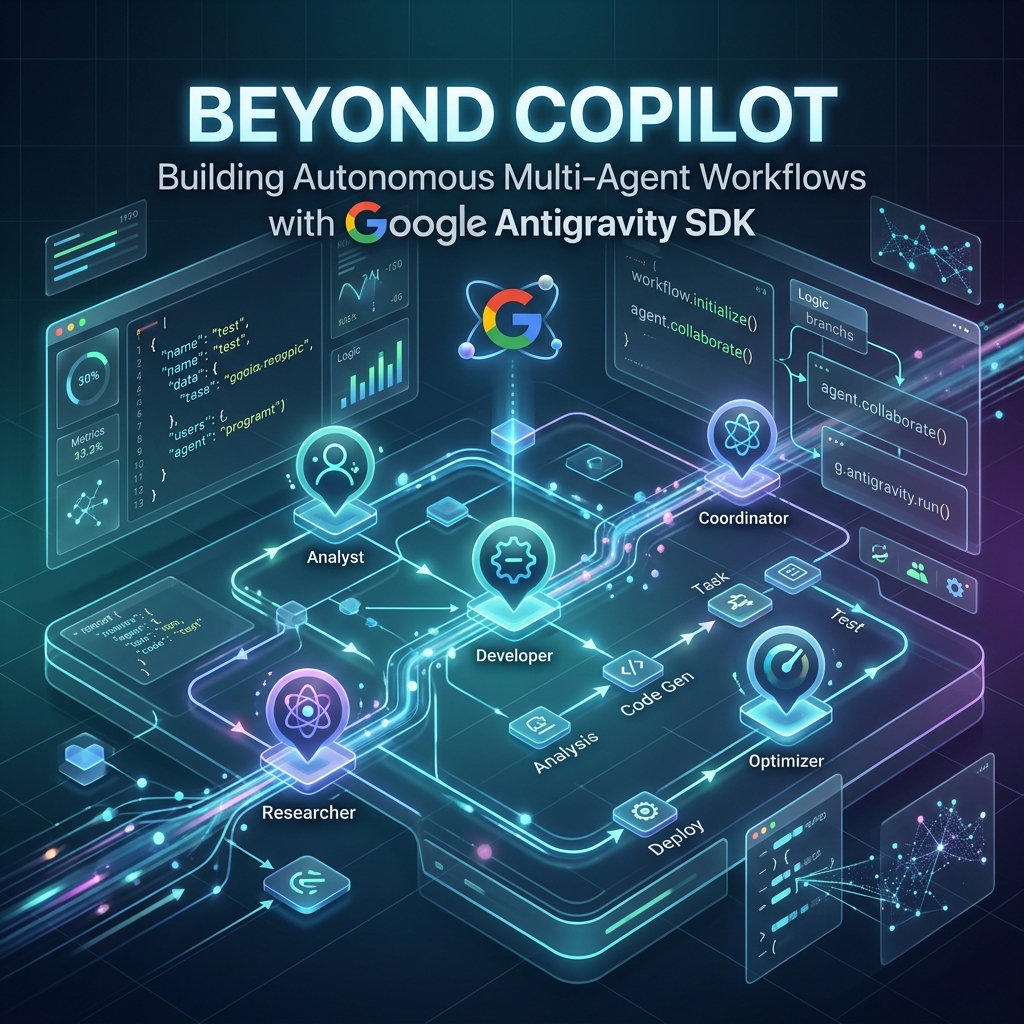
Introduction: The Agentic Shift in Software Development
Over the past few years, artificial intelligence has fundamentally transformed how developers write and maintain software. We have transitioned from basic syntax highlighting to inline code completions and chatbot panels like GitHub Copilot. While these tools have HTML capabilities, they remain fundamentally reactive: they sit inside the IDE, waiting for a human developer to write a prompt, highlight code, or press tab. They are "copilots" in the truest sense, assisting but never taking the wheel.
Today, the software industry is entering the next frontier: the era of autonomous AI agents and multi-agent workflows. Instead of simply predicting the next line of code, autonomous agents can independently explore codebases, diagnose bugs, run test suites, write documentation, and deploy services. These agents operate in closed loops, analyzing execution outputs, adapting their strategies, and collaborating with other specialized agents to achieve complex, multi-step goals.
At the center of this paradigm shift is the Google Antigravity SDK (AGY), a robust, production-grade framework designed to design, implement, and orchestrate autonomous multi-agent systems. Powered by Google's Gemini models, the Antigravity SDK provides developers with the essential building blocks for agentic applications: cognitive loops, tool orchestration, and sandbox isolation. In this article, we will take a deep dive into the architecture of the Google Antigravity SDK, explore how it manages agent cognition, and write code to build secure, autonomous multi-agent workflows.
The Architecture of Google Antigravity SDK
Building an autonomous agent requires more than just connecting an LLM to a terminal. It requires a carefully managed state machine that handles model parameters, session histories, tool permissions, and network communication. The Google Antigravity SDK solves this complexity by structuring its architecture around three primary pillars:
- Agent: The primary developer-facing entry point. An
Agentis instantiated with anAgentConfig(orLocalAgentConfig) that defines its persona, system instructions, model identifiers, safety policies, and tool capabilities. It is responsible for orchestrating the overall execution session. - Conversation: The stateful session manager. Unlike traditional API calls that require manual history tracking, the
Conversationobject automatically accumulates the turn-by-turn history, tracks thoughts and tool calls, executes context compaction when the prompt window gets too large, and provides streaming response interfaces. - Connection: The transport layer. A
Connectionabstracts away the physical location and communication protocol of the LLM backend, enabling the same agent code to run locally, in private clouds, or via public APIs without changing its high-level logic.
When a developer invokes agent.chat(), the SDK initializes a Conversation, establishes a Connection, runs pre-turn lifecycle hooks, submits the prompt along with the current system state, and processes the stream of thoughts, tool requests, and responses.
Demystifying Cognitive Loops and Thinking Tokens
At the heart of an autonomous agent is the cognitive loop—the iterative process of reasoning, planning, executing, and evaluating. Instead of generating a response in a single forward pass, an agent must first reason about the task, decompose it into smaller steps, decide which tools to use, execute those tools, inspect the results, and decide whether to proceed or pivot.
The Google Antigravity SDK leverages advanced reasoning models (such as Gemini 2.0 and Gemini 1.5 Pro) that emit thinking tokens. Thinking tokens represent the model's internal reasoning process—often referred to as its "thoughts"—before it formulates its final, user-facing output. By separating the thought process from the final text, the SDK allows developers to inspect, audit, and stream the agent's logic in real-time.
Exposing this reasoning layer is incredibly valuable. It builds trust with human operators, makes debugging agent failures significantly easier, and allows other monitoring systems to intercept or guide the agent's plan before any tools are actually invoked.
Let's look at a practical example of how to implement a basic agent that streams both its internal reasoning (thoughts) and its final response asynchronously:
from google.antigravity import Agent, LocalAgentConfig

async def run_reasoning_agent():
    # Initialize the agent using the default local configuration
    async with Agent(LocalAgentConfig()) as agent:
        response = await agent.chat("Design an optimized database schema for an e-commerce cart.")

        print("--- AGENT THOUGHT PROCESS ---")
        async for thought in response.thoughts:
            print(thought, end="", flush=True)

        print("\n\n--- FINAL RESPONSE ---")
        async for token in response:
            print(token, end="", flush=True)
In the snippet above, the response.thoughts generator yields thoughts in real-time, providing immediate visibility into how the model is breaking down the database schema requirements. Once the model's reasoning phase is complete, it shifts to producing the final, structured response, which is consumed via the standard async token generator.
Tool Orchestration and the Model Context Protocol (MCP)
An agent without tools is like a brain without hands. To perform autonomous work, agents need the ability to read and write files, query databases, execute code, and communicate with external services. The Google Antigravity SDK achieves this through a unified tool orchestration system that natively supports the Model Context Protocol (MCP).
MCP is an open standard that decouples tool providers from tool consumers. Instead of writing custom API wrappers for every new service, developers can run an MCP server that exposes tools, prompts, and resources in a standardized format. The Google Antigravity SDK can connect to these servers using two primary transports:
- Stdio Transport: The SDK spawns the MCP server as a local subprocess and communicates via standard input and output. This is perfect for local developer toolkits, compilers, and file utilities.
- Server-Sent Events (SSE) Transport: The SDK connects to a remote MCP server running as an HTTP web service. This is ideal for centralized services, corporate database connections, and external API gateways.
By default, tools exposed by connected MCP servers are automatically registered with the agent, making them immediately available for invocation during the model's cognitive loop. Here is how you configure both local and remote MCP servers in an agent config:
from google.antigravity import Agent, LocalAgentConfig, types

# Configure a local Stdio MCP server and a remote SSE MCP server
mcp_servers = [
    types.McpStdioServer(
        command="python3",
        args=["local_db_tool.py"],
    ),
    types.McpSseServer(
        url="https://api.internal.company.com/mcp/sse",
        headers={"Authorization": "Bearer sse-api-token-xyz"},
    )
]

config = LocalAgentConfig(mcp_servers=mcp_servers)

async def run_tool_agent():
    async with Agent(config) as agent:
        response = await agent.chat("Fetch the inventory count for product ID 9921.")
        print(await response.text())
In this workflow, the agent detects that it needs to retrieve inventory data, automatically selects the correct tool from the remote MCP server, executes the network call behind the scenes, reads the output, and integrates the result into its final answer—all without the developer writing any manual glue code.
Sandbox Isolation and Declarative Safety Policies
Granting an AI agent the ability to execute shell commands and modify files creates a massive security surface area. A malicious or confused agent could execute destructive commands (like rm -rf /), read sensitive environment variables, or overwrite critical system files. For autonomous agents to be viable in production, they must operate within strict safety boundaries.
The Google Antigravity SDK addresses this challenge through Declarative Safety Policies. Rather than relying on soft prompts or system instructions (which are vulnerable to prompt injection), the SDK implements a hard, runtime policy evaluation engine. This engine intercepts every tool call before execution and determines whether to allow, deny, or prompt for human confirmation.
The Default Stance: Conservative by Default
By default, the SDK's LocalAgentConfig uses a preset policy called confirm_run_command(). This policy adopts a highly secure posture:
- Denies all shell executions (
run_commandis blocked entirely). - Restricts file-system tools (like
view_file,edit_file, andcreate_file) to directories configured as active workspaces usingpolicy.workspace_only(). - Allows safe, read-only inspection tools.
Policy Resolution Order
When an agent requests a tool call, the SDK evaluates the list of registered policies. The evaluation follows a strict priority structure, short-circuiting at the first match within each level:
- Specific Deny (e.g., deny tool X under condition Y)
- Specific Ask (e.g., ask the user before running tool X)
- Specific Allow (e.g., allow tool X)
- Wildcard Deny (e.g., deny all tools)
- Wildcard Ask (e.g., ask user before running any tool)
- Wildcard Allow (e.g., allow all tools)
Runtime Predicates and Humans-in-the-Loop
Developers can use the when parameter to write custom predicate functions that inspect the actual arguments of a tool call at runtime. If a predicate returns True, the rule is matched. If a predicate raises an exception, the system fails closed—treating the exception as a match and blocking the execution to prevent escape.
Let's build a production-grade, secure configuration that restricts file modifications to a workspace, blocks destructive command-line flags, and delegates shell commands to a human-in-the-loop approval handler:
from google.antigravity import Agent, LocalAgentConfig, CapabilitiesConfig
from google.antigravity.hooks import policy

async def my_approval_handler(tool_call):
    # Prompt the human operator in the terminal or web dashboard
    print(f"\n[SECURITY] Agent requested: {tool_call.name}")
    print(f"[SECURITY] Arguments: {tool_call.args}")
    user_input = input("Approve execution? (y/n): ")
    return user_input.strip().lower() == 'y'

# Define our secure policy list
policies = [
    # Restrict file tools strictly to the workspace directory
    policy.workspace_only(["/Users/tahir/Data/Work/Personal/mtd/mtd_backend"]),

    # Hard-deny any shell command attempting to use dangerous patterns
    policy.deny(
        "run_command",
        when=lambda args: any(bad in args.get("CommandLine", "").lower() for bad in ["rm", "sudo", "docker", "drop"]),
        name="block_destructive_commands"
    ),

    # Route all other run_command calls to our interactive human approval handler
    policy.ask_user("run_command", handler=my_approval_handler),

    # Allow safe workspace tools to proceed
    policy.allow("view_file"),
    policy.allow("edit_file"),
]

config = LocalAgentConfig(
    system_instructions="You are a senior software engineering assistant.",
    capabilities=CapabilitiesConfig(), # Enables write and execute capabilities
    policies=policies
)
With this configuration in place, the agent can autonomously browse files and suggest edits within its workspace. However, if the agent attempts to run a shell command, the execution pauses, and the system prompts the developer for permission, guaranteeing that the agent cannot execute arbitrary code unnoticed.
Multi-Agent Coordination: Spawning Subagents
As tasks grow in complexity, a single monolithic agent can become overwhelmed by context drift and token limits. In human organizations, we solve this by delegating tasks to specialized team members. The Google Antigravity SDK brings this exact management strategy to AI architectures by supporting subagent delegation.
In AGY, a main agent can spawn subagents to offload specific tasks. Subagents are fully configured, stateful agents in their own right, and they can be equipped with distinct system instructions, models, and tool sets. The main agent interacts with the subagent asynchronously, treating it as a specialized "tool" that returns a refined text or structured data result.
To enable this, we configure the capabilities of the main agent to allow subagent creation:
from google.antigravity import Agent, LocalAgentConfig, types

# Enable subagent spawning in the capabilities configuration
config = LocalAgentConfig(
    capabilities=types.CapabilitiesConfig(
        enable_subagents=True,
    )
)

async def run_multi_agent_workflow():
    async with Agent(config) as manager_agent:
        # Prompt the manager agent, which will decide to spawn subagents
        response = await manager_agent.chat(
            "Spawn a subagent to write a detailed technical outline for an API, "
            "and another subagent to write unit tests for that outline."
        )
        print(await response.text())
This hierarchical approach keeps the prompt window clean, prevents context pollution, and ensures that specialized models are only invoked for the tasks they do best.
Best Practices for Production-Grade Agents
Transitioning an autonomous agent from local development to production requires planning for real-world failures, rate limits, and monitoring. Here are key best practices to follow when using the Google Antigravity SDK:
- Implement Context Compaction: Long-running agent loops can accumulate massive conversation histories, increasing latency and token costs. Use context compaction settings in the
Conversationconfig to summarize or prune historical turns automatically. - Use Custom Hooks for Error Recovery: Agents will occasionally encounter tool failures (e.g., network timeouts or syntax errors). Use the SDK's hook system (e.g., intercepting post-turn errors) to catch exceptions and instruct the agent to retry with modified parameters, rather than crashing the system.
- Audit Token Usage: Keep track of token consumption, particularly thinking tokens. The SDK's observability features allow you to log token metrics for every transaction, preventing runaway loops from inflating your API bills.
- Enforce Workspace Isolation: Always define explicit workspace boundaries using
policy.workspace_only(). Never run production agents withpolicy.allow_all().
Conclusion & Future Outlook
We are moving rapidly toward a world where AI is not just a passive helper, but an active collaborator. The Google Antigravity SDK provides the architectural foundation required to build these next-generation autonomous systems safely and efficiently. By combining cognitive reasoning loops, Model Context Protocol integration, and declarative security policies, developers can construct multi-agent workflows that solve complex, real-world problems while remaining secure and auditable.
Ready to build your first autonomous agent? Ensure you have your Gemini API key from Google AI Studio and start building tomorrow's software systems today.
